<p align=“center”> <a href=“https://tamkungz.github.io/”><img src=“https://img.shields.io/badge/Website-000000?style=flat-square&logo=google-chrome&logoColor=white” alt=“Website”></a> <a href=“https://github.com/TamKungZ”><img src=“https://img.shields.io/badge/GitHub-181717?style=flat-square&logo=github&logoColor=white” alt=“GitHub”></a> <a href=“https://linktr.ee/TamKungZ_”><img src=“https://img.shields.io/badge/Linktree-00b159?style=flat-square&logo=linktree&logoColor=white” alt=“Linktree”></a> <a href=“https://x.com/tamkungz_”><img src=“https://img.shields.io/badge/X-000000?style=flat-square&logo=x&logoColor=white” alt=“X”></a> <a href=“https://buymeacoffee.com/tamkungz_”><img src=“https://img.shields.io/badge/Buy Me a Coffee-FFDD00?style=flat-square&logo=buymeacoffee&logoColor=black” alt=“Buy Me a Coffee”></a> <a href=“https://ko-fi.com/tamkungz”><img src=“https://img.shields.io/badge/Ko--fi-29ABE0?style=flat-square&logo=ko-fi&logoColor=white” alt=“Ko-fi”></a> </p>
Stardew NPC Maker
<p align=“center”>The easiest way to create custom NPCs for Stardew Valley. No coding required.</p>
What is this?
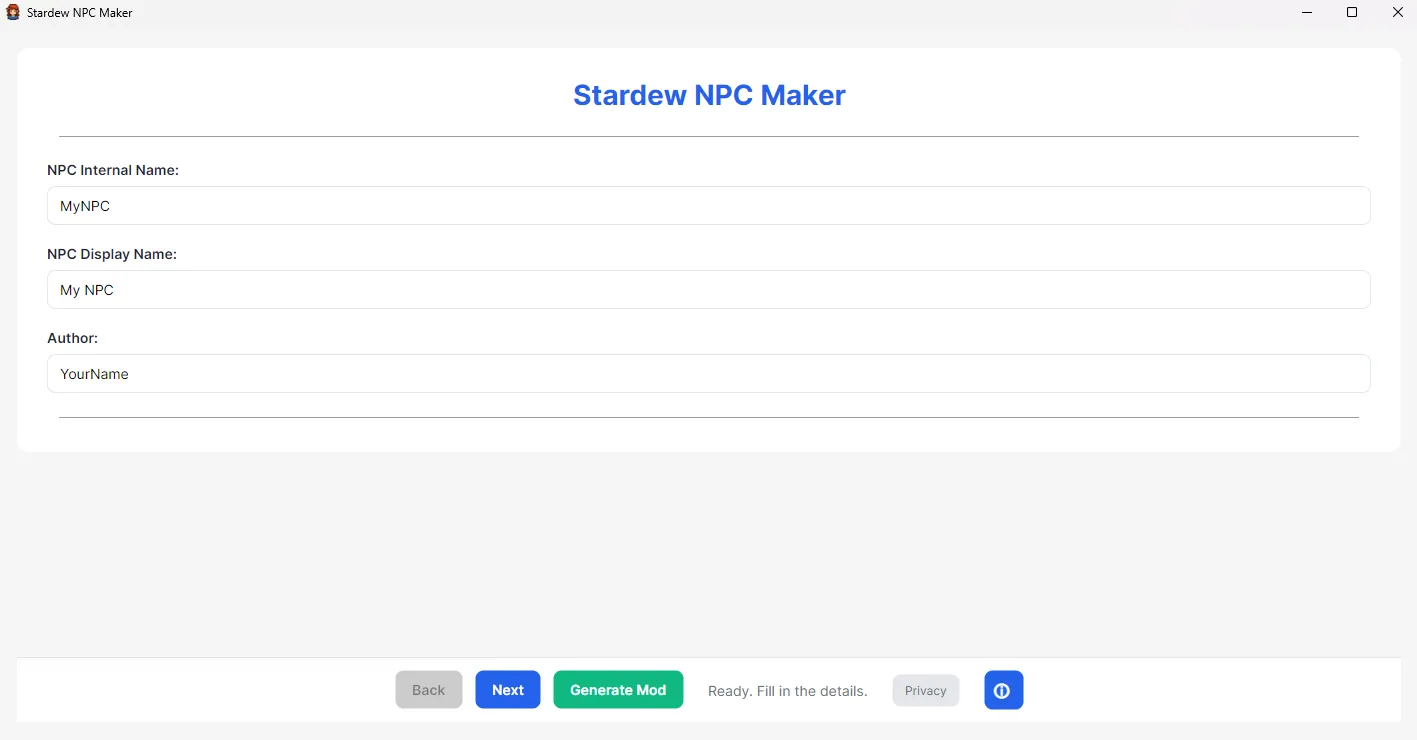
This is a simple desktop application that helps you create your own custom NPCs for Stardew Valley. It provides a step-by-step wizard to enter all your character’s information, dialogue, and schedules.
When you’re finished, the app automatically generates a complete Content Patcher mod folder, ready to be dropped into your game’s Mods directory.
Get Started (For Users)
- Go to the Releases Page (Note: You’ll need to create this page if it doesn’t exist).
- Download the
.zipfile for your operating system (Windows, macOS, or Linux). - Unzip the file and run the application.
- Follow the on-screen wizard to build your NPC!
Features
- Works Everywhere: A single application that runs on Windows, macOS, and Linux.
- Step-by-Step Wizard: A simple guide walks you through every part of creating an NPC (Basic info, images, dialogue, schedules, and more).
- Visual Editors: Easily add dialogue, create complex schedules, and set character gifts with simple forms—no need to edit confusing text files.
- Image Previews: See your character’s portraits and sprites live in the app as you add them.
- One-Click Mod Generation: Automatically creates the complete mod folder, including the
manifest.json,content.json, and all yourassets, properly named and organized.
For Developers (Building from Source)
This section is for developers who want to contribute to the project or build it from the source code.
Technology Stack
- Language: C#
- Framework: .NET 8
- UI: Avalonia UI (with FluentTheme)
- JSON Handling: System.Text.Json
How to Build and Run
You must have the .NET 8 SDK installed on your system.
1. Clone the Repository
git clone https://github.com/TamKungZ/NPCmaker-CS.git
cd NPCmaker-CS
2. Run Locally (for Development)
Navigate to the project directory (e.g., NPCMaker) and run:
dotnet run
This will compile and launch the application on your current operating system.
3. Publish (Export Executables)
You can compile self-contained applications for all major platforms from your development machine.
To publish for Windows (win-x64):
dotnet publish -c Release -r win-x64 --self-contained
To publish for Linux (linux-x64):
dotnet publish -c Release -r linux-x64 --self-contained
To publish for macOS (osx-x64):
dotnet publish -c Release -r osx-x64 --self-contained
The compiled application will be located in the bin/Release/net8.0/[YOUR-RUNTIME]/publish/ folder.